Easy Suite AI: keeping teachers in charge of AI
Designing three AI tools for Ether, an all-in-one operating system for Indian schools: EasyPlan, Elevate and EasyScore. Every AI output is checked by a teacher and approved by an admin.
- Role
- Associate UI/UX Designer: UI redesign, flows, design UAT
- Timeline
- Nov 2025 – Jul 2026
- Tools
- Figma
- Platform
- EasyPlan and EasyScore on web; Elevate on web and the Ether mobile app
Explore the AI suite demo
Click through the EasyPlan, Elevate and EasyScore demo I designed: product overviews, user roles and feature maps for every role, plus the EasyPlan admin screens.
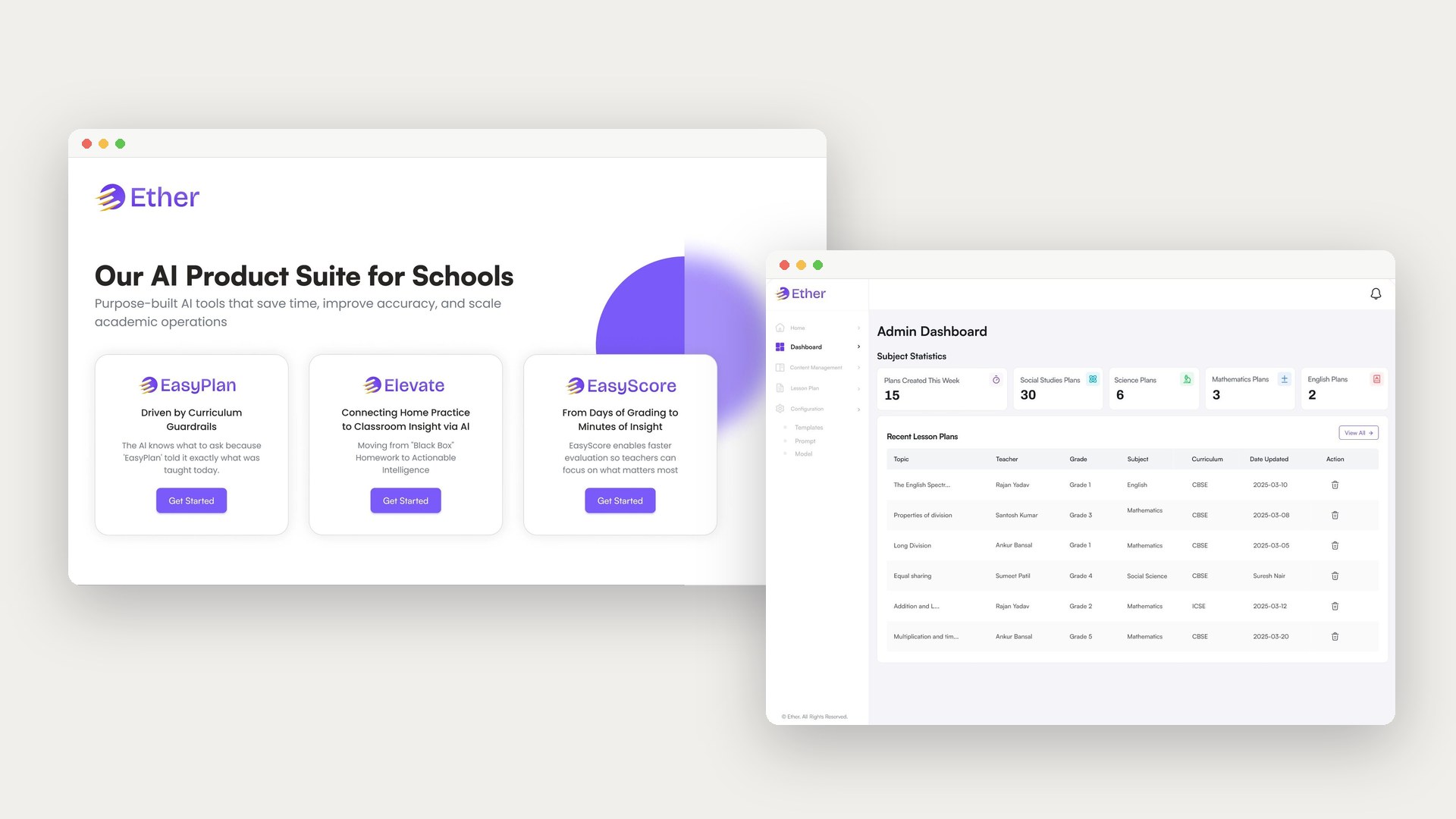
Teachers spend hours on lesson planning, quiz creation and grading. Ether brought three generative AI tools into the school's daily workflow to take over the repetitive parts: EasyPlan for lesson plans, Elevate for quizzes and home practice, and EasyScore for answer-sheet evaluation.
The hard part wasn't the AI. Teachers are protective of their curriculum, and if the AI felt too autonomous they would reject it. I designed the suite around one idea: the AI does the heavy lifting, but a person always has the final say. This case study walks through each tool and each role that uses it.
"How do we design AI that feels like a helpful co-pilot, not a replacement for the teacher?"
What teachers told us
Teachers work in busy, time-poor environments. They don't have the bandwidth to learn prompt engineering, and they carry the responsibility when something goes wrong.
Admin / coordinator
Web- Uses
- EasyPlan as Admin, Elevate as Coordinator, EasyScore as Admin.
- Does
- Uploads chapters, question papers and rubrics, configures templates, prompts and models, and reviews what the AI and teachers produce.
- Needs
- School-wide oversight, and one clear place to approve, reject or send work back.
Teacher
Web- Uses
- All three tools.
- Does
- Generates lesson plans and quizzes, uploads answer sheets and reviews AI-suggested scores.
- Needs
- Drafts that follow what was actually taught, are quick to edit, and never go out without their sign-off.
Parent / student
Ether mobile app- Uses
- Elevate only.
- Does
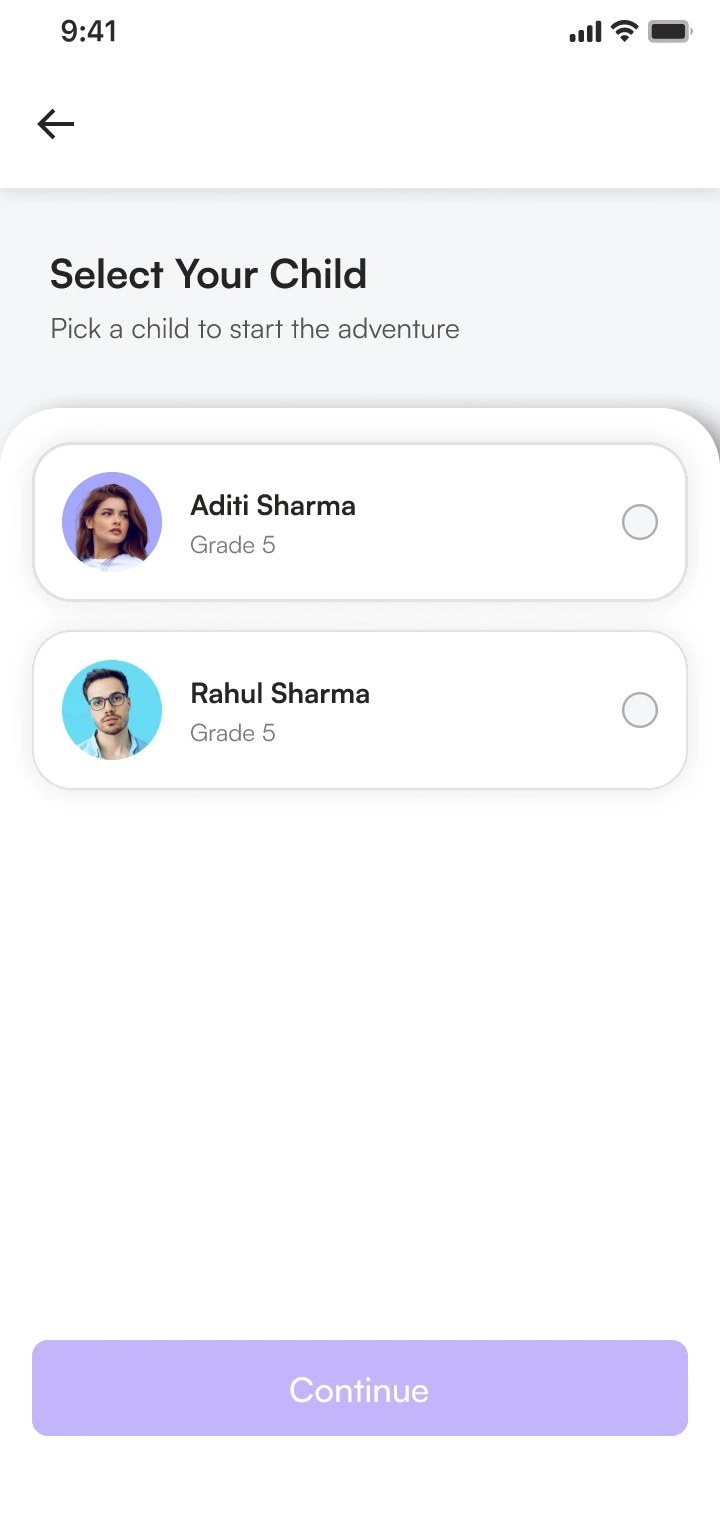
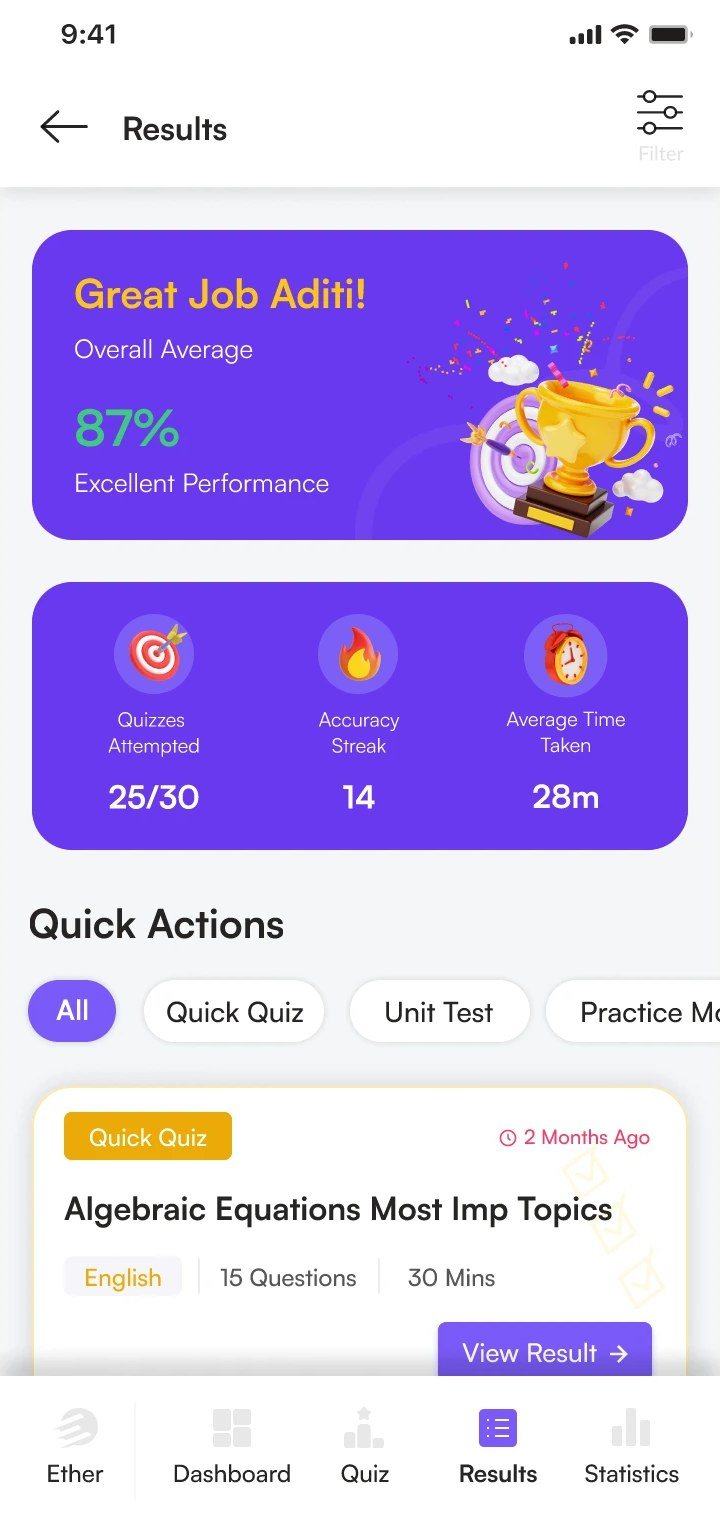
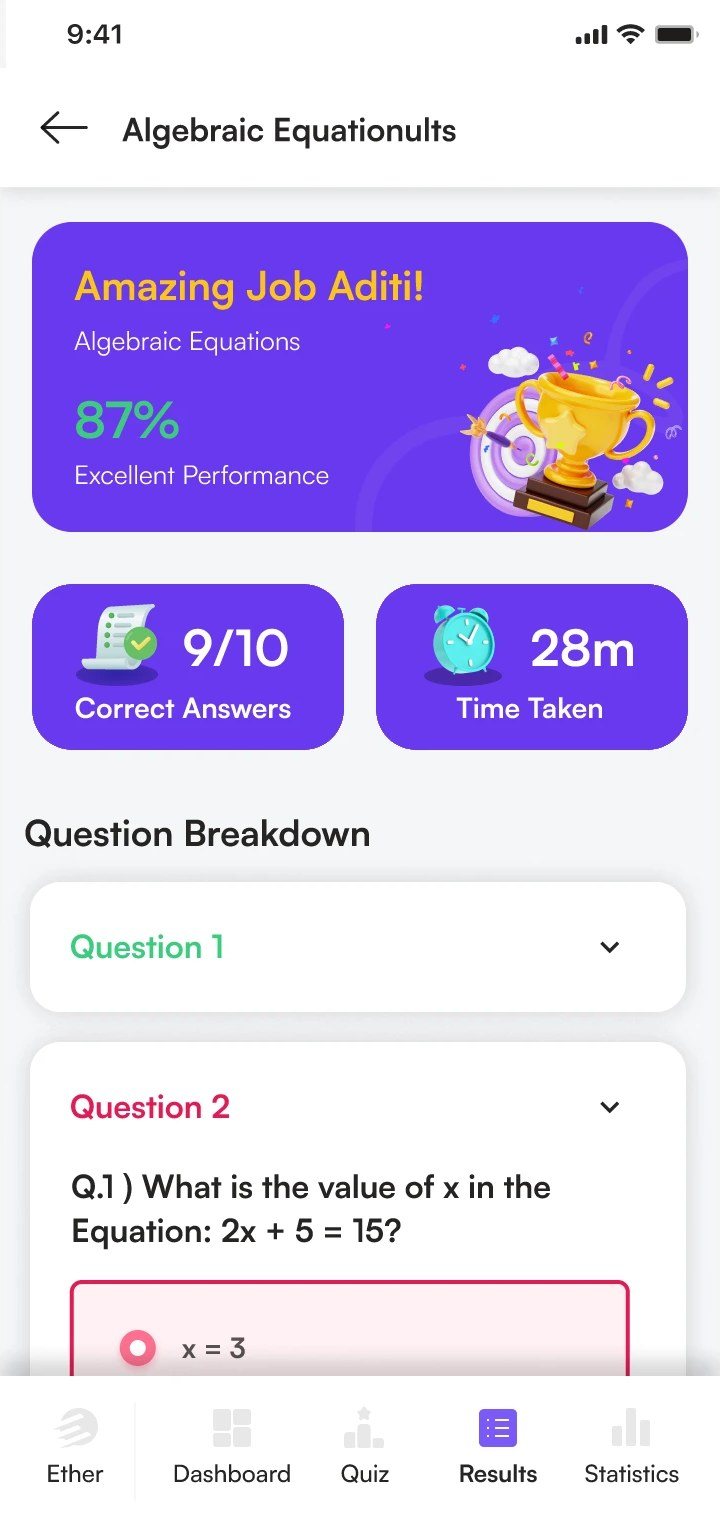
- Attempts quizzes by mode and subject, checks results and streaks, and follows subject-wise progress.
- Needs
- Practice that feels motivating, and results a parent can read at a glance.
Who does what in each tool
Each tool has its own set of roles, taken from the demo. Pick a product to see every role and the features I designed for it.
A purely web-based tool. Admins upload chapters once, and AI generates assisted lesson plans with concepts, examples and revision points. Plans are session-wise and reusable across sections.
Admin
Web- Curriculum overview
- Subject-wise plan insights
- Chapter library
- Smart filters
- Chapter search
- Chapter upload & mapping
- Lesson plan repository
- Advanced lesson plan filters
- Topic-based search
- Plan review & feedback
- Templates
- Prompt
- Model
Teacher
Web- Own plans at a glance
- Pick an uploaded chapter
- Generate a session-wise draft
- Edit and submit for review
- Reuse plans across sections
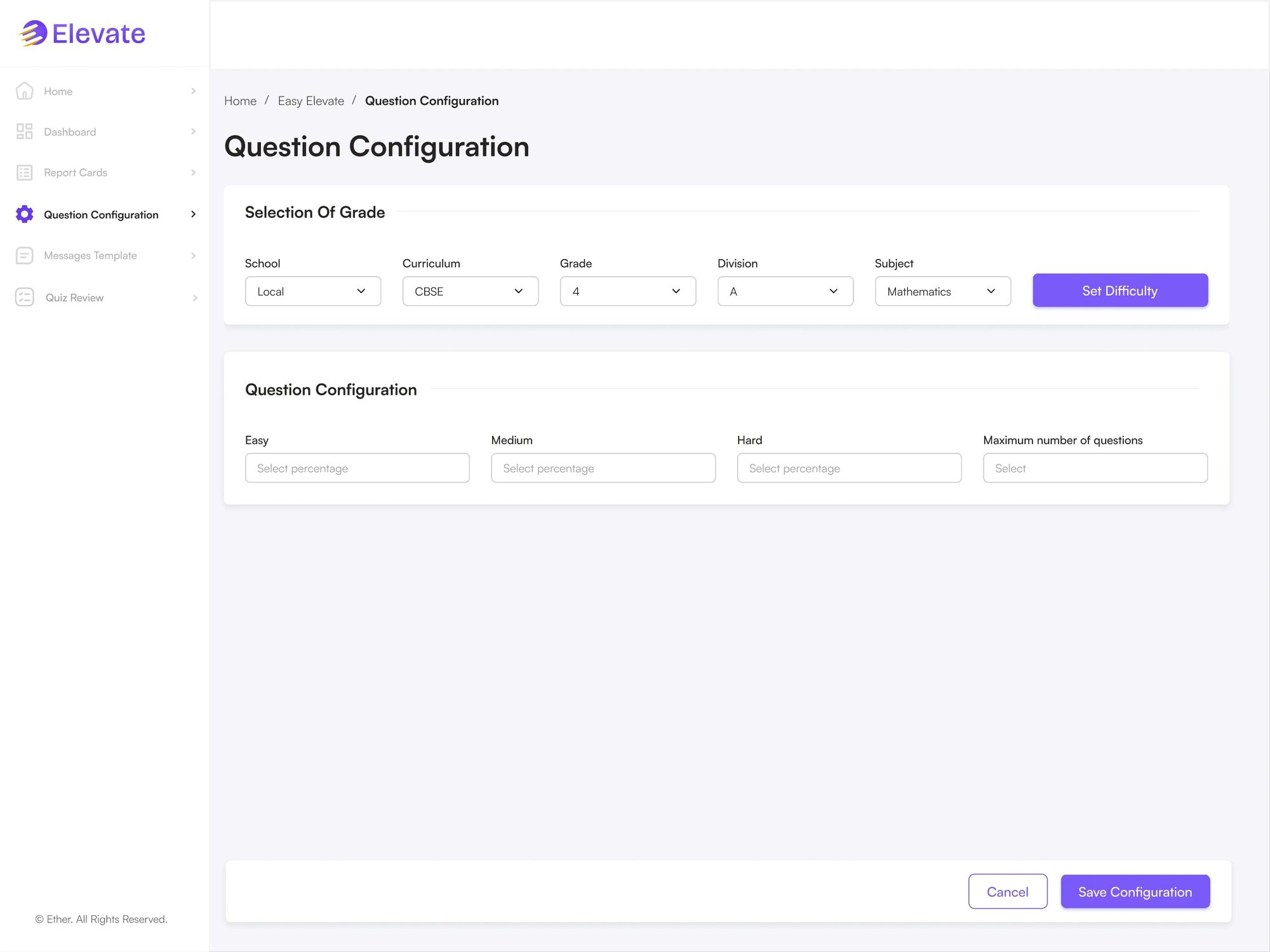
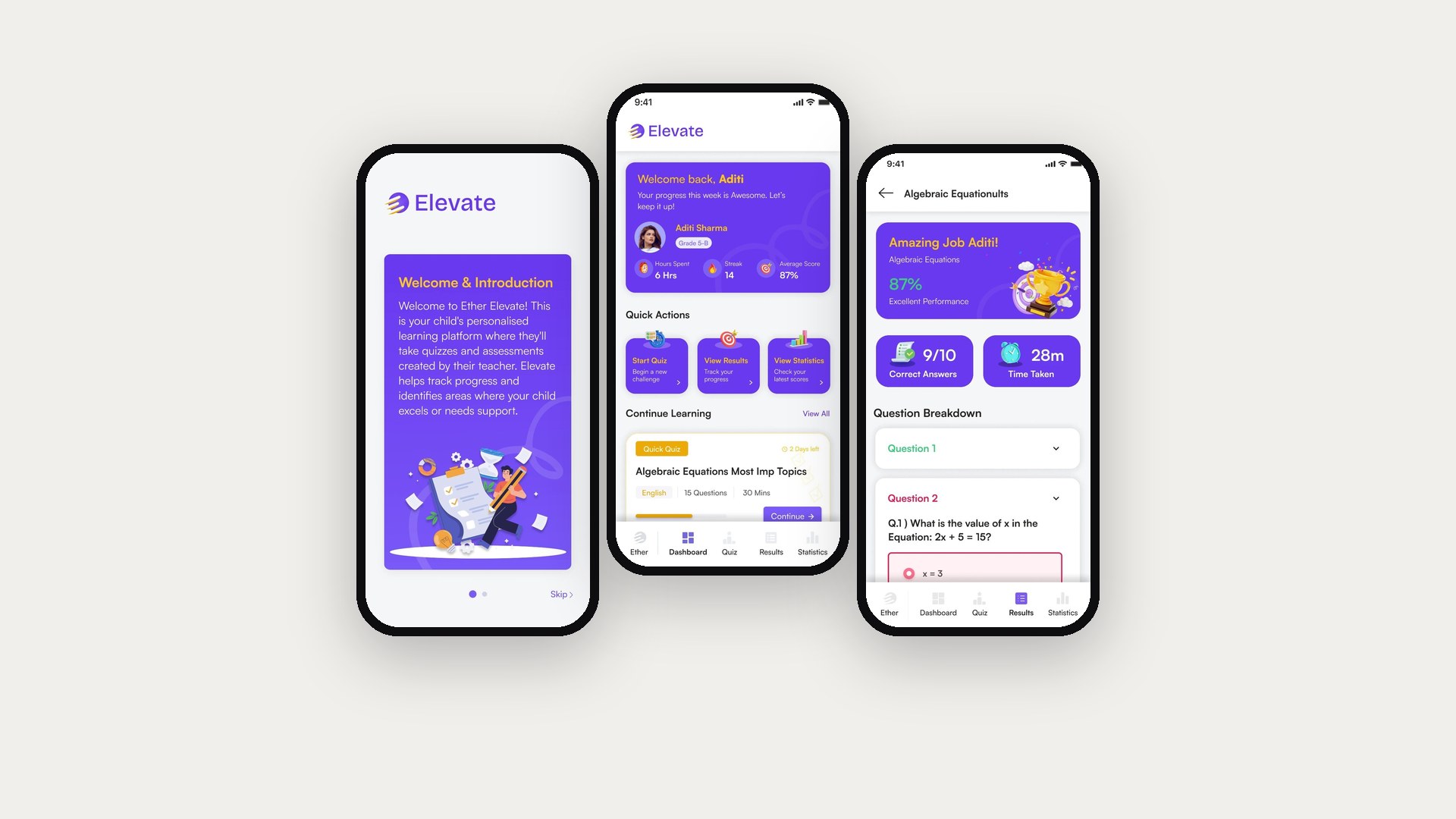
Teacher-led generative AI for question creation and curation, with three session types: Quick quiz (topic based), Chapter quiz (one or more chapters) and Practice mode (self-paced and student-led). Success is measured by student engagement, quiz scores and teachers' ratings of assessment quality.
Coordinator
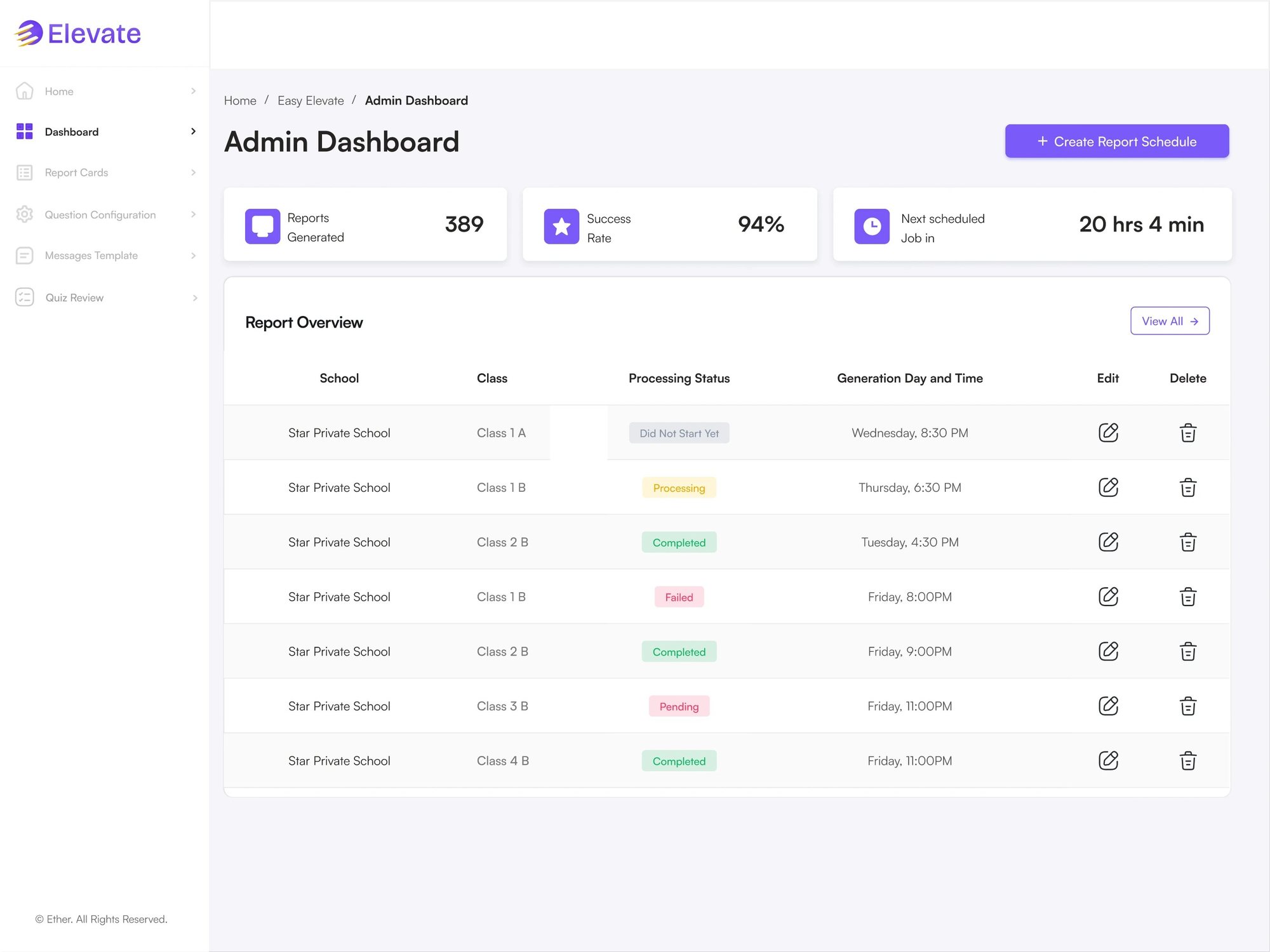
Web- Admin dashboard
- School analysis
- Class analysis
- Model
- Question
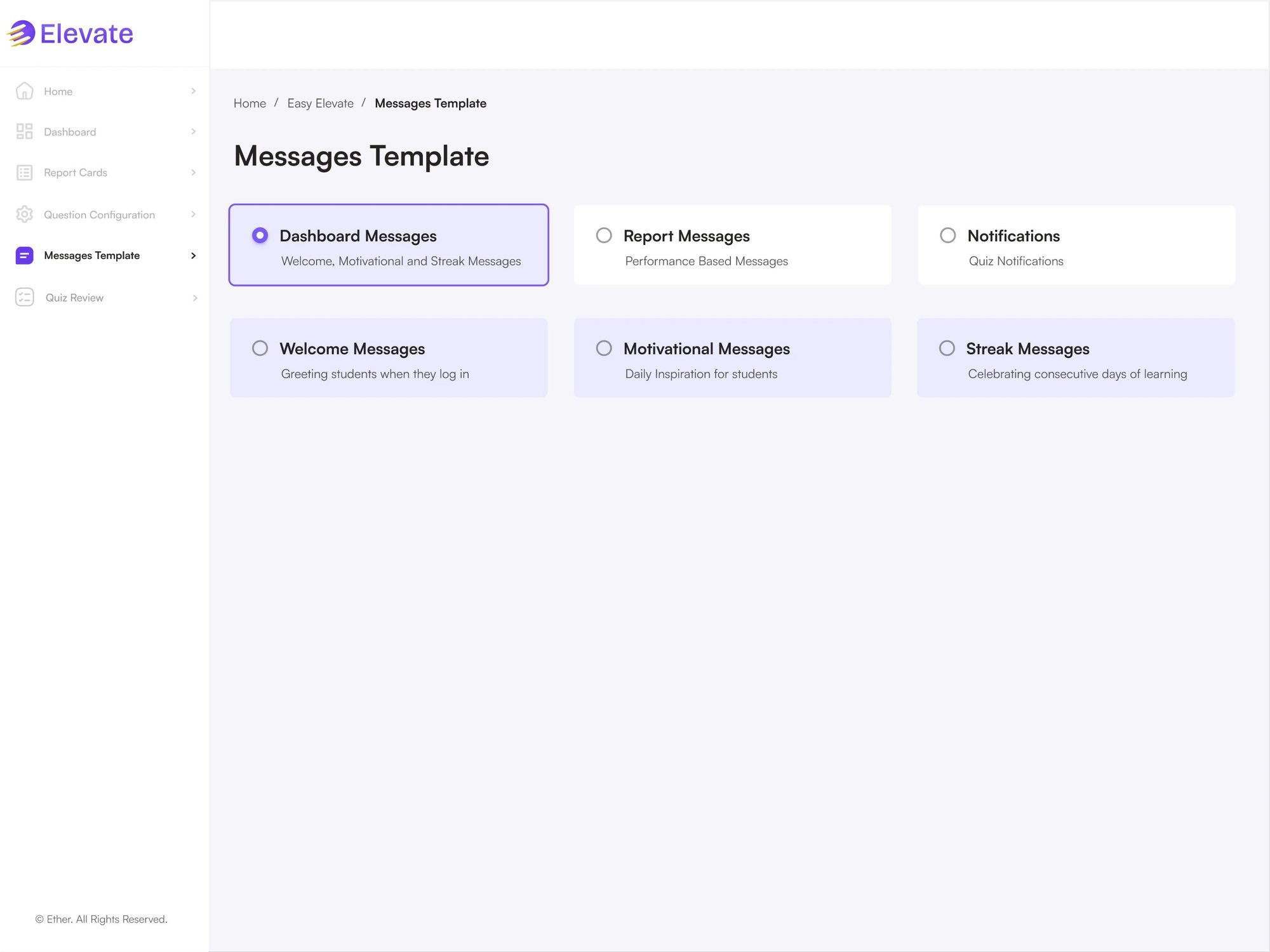
- Create message template
- View category-wise templates
- Activate / deactivate templates
- View quiz listing
- Filter quizzes
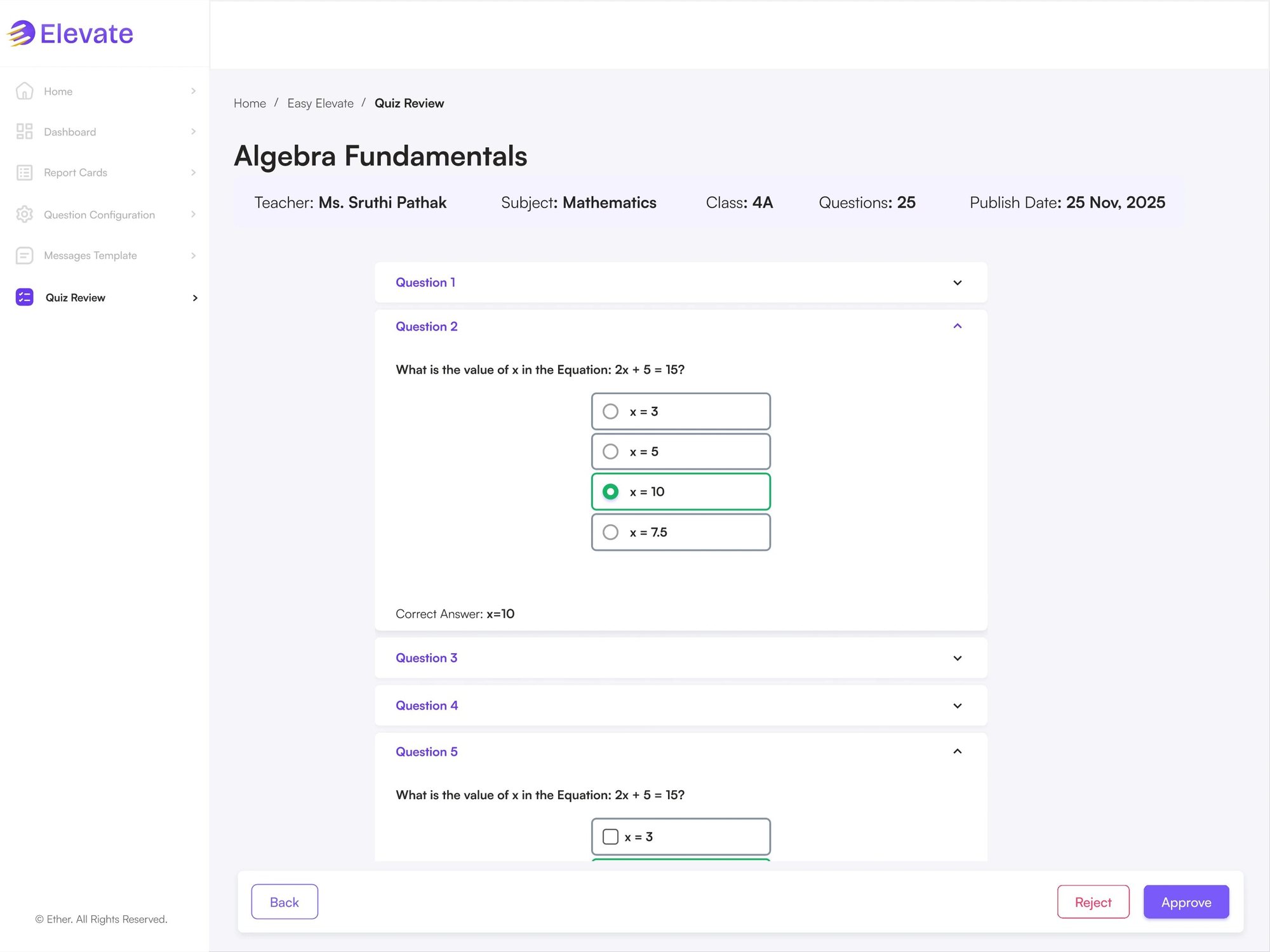
- Approve / reject quizzes
Teacher
Web- Recent quiz listing
- Create a quiz
- Smart quiz filters
- Generate quiz via AI
- Add questions manually
- Regenerate questions
- Multi-chapter quiz creation
- Customise and edit quiz
- Publish to multiple grades
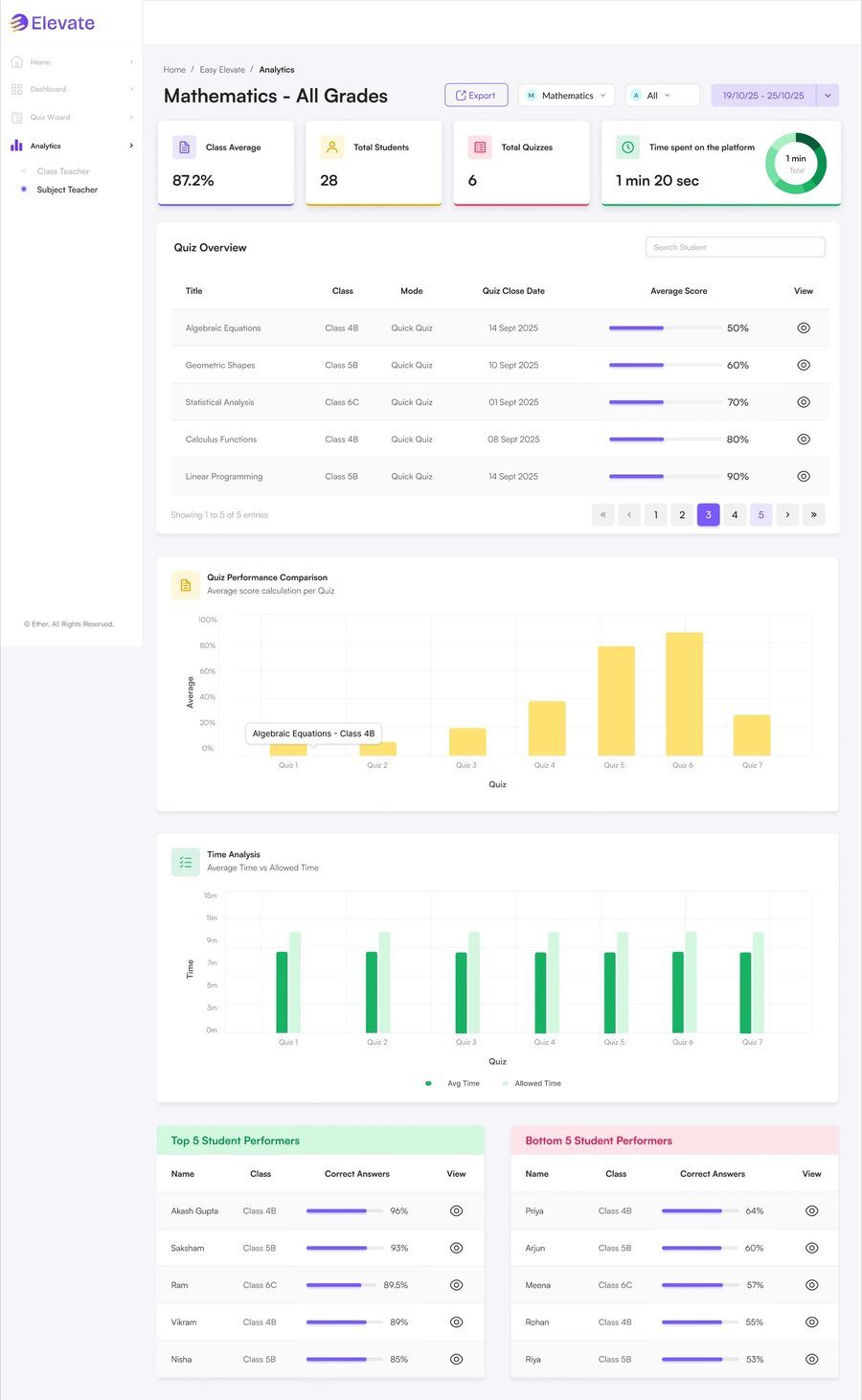
- Class-wise analytics
- Subject-wise analytics
- Student-wise performance overview
- Export analytics
Parent / student
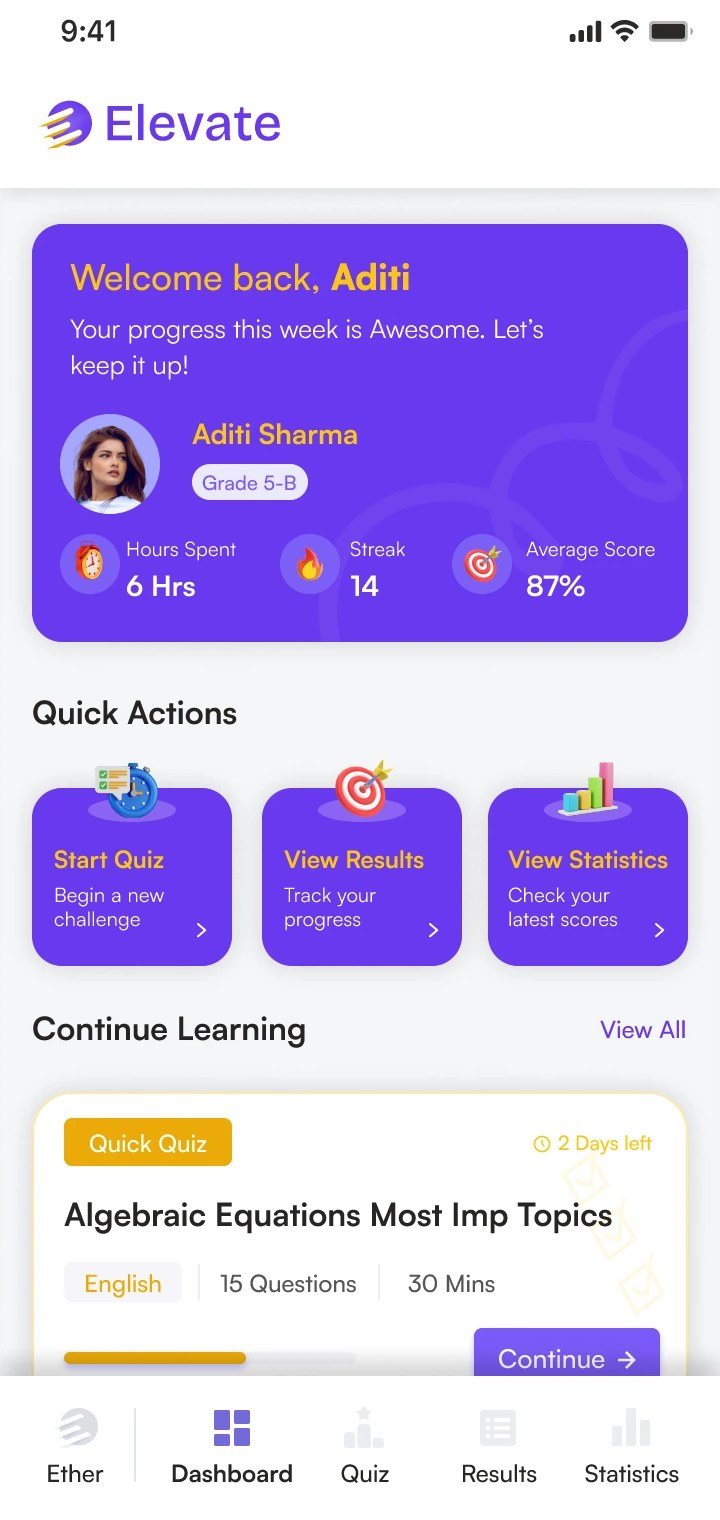
Ether mobile app- Hawk-eye profile view
- Start a quiz
- View results and analytics
- Mode-wise quiz listing
- Subject-level filter
- Attempt quiz
- Mode-wise quiz results
- Gamified experience
- Average score, time taken, streaks
- Subject-wise analytics
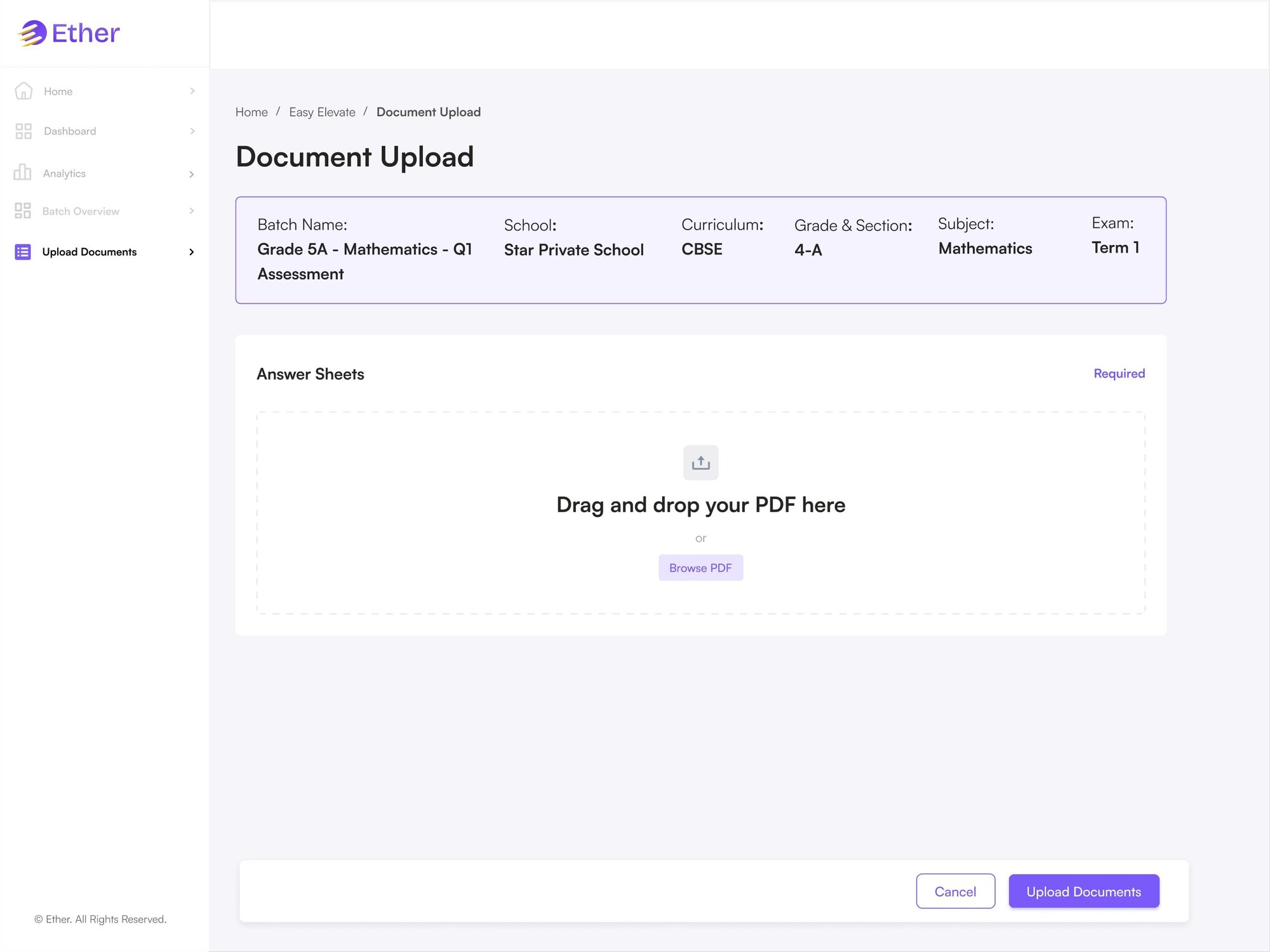
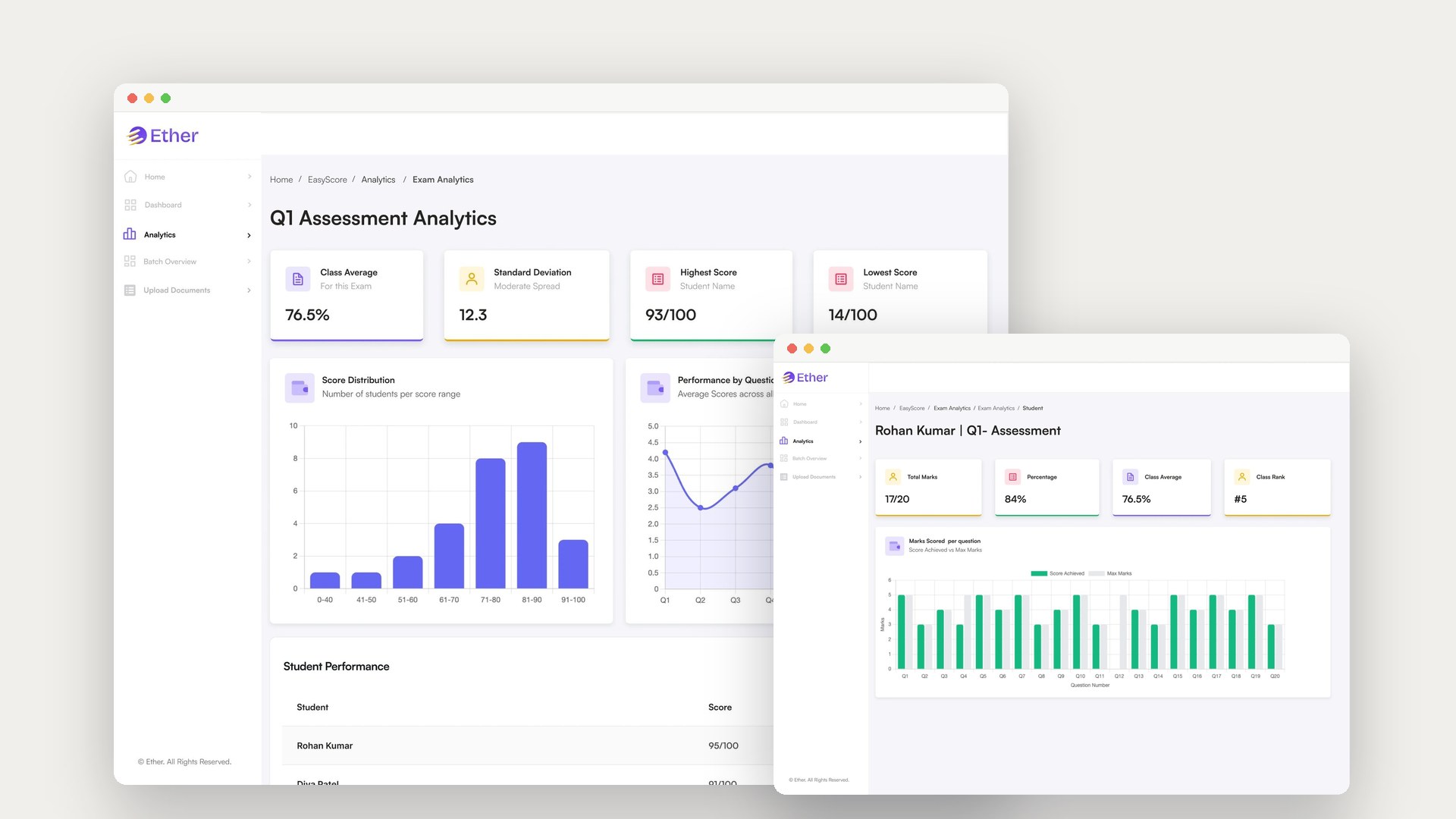
Manual evaluation of answer sheets consumes countless teacher hours. EasyScore uses AI to assist with evaluation while final control stays with educators. Built for Indian schools and their existing curriculum.
Admin
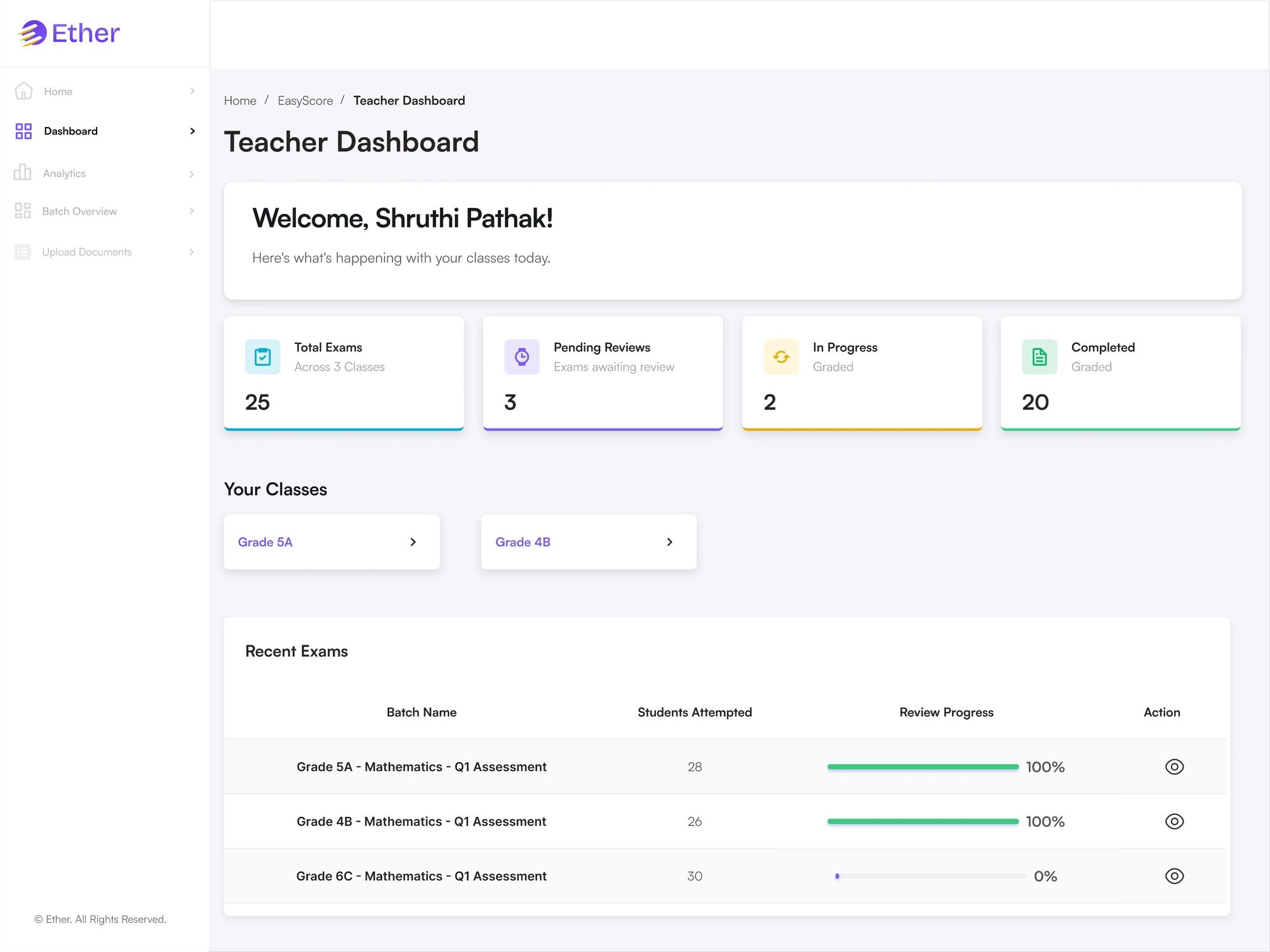
Web- Dashboard overview
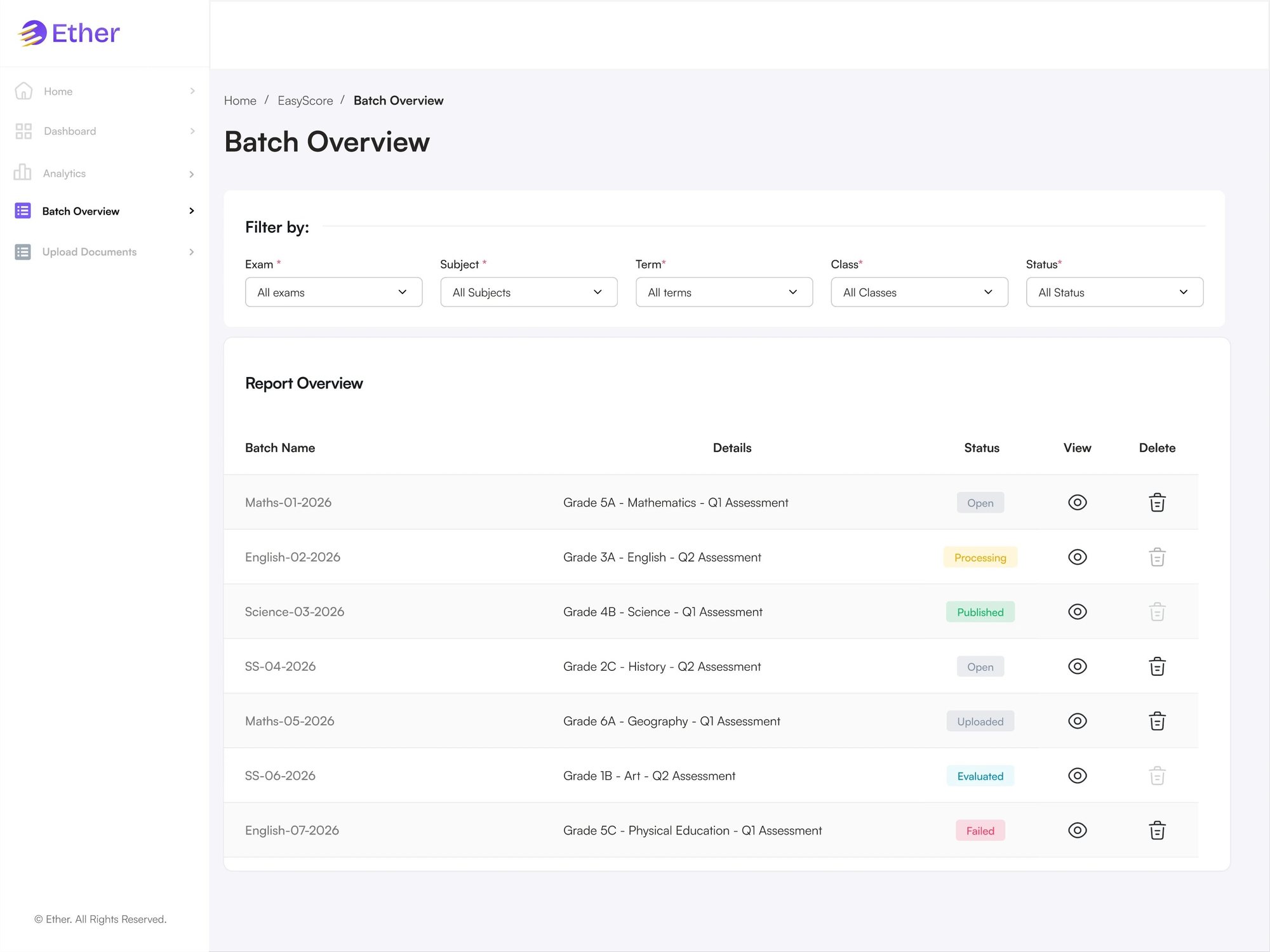
- Batch status insights
- View a batch
- Advanced filters on batch list
- Search a batch by name
- View all batches
- Create batch
- Upload question paper
- Upload answer rubric
Teacher
Web- Confirm batch details
- Upload answer sheets (PDF)
- Track batch status
- Check AI-suggested marks before publishing
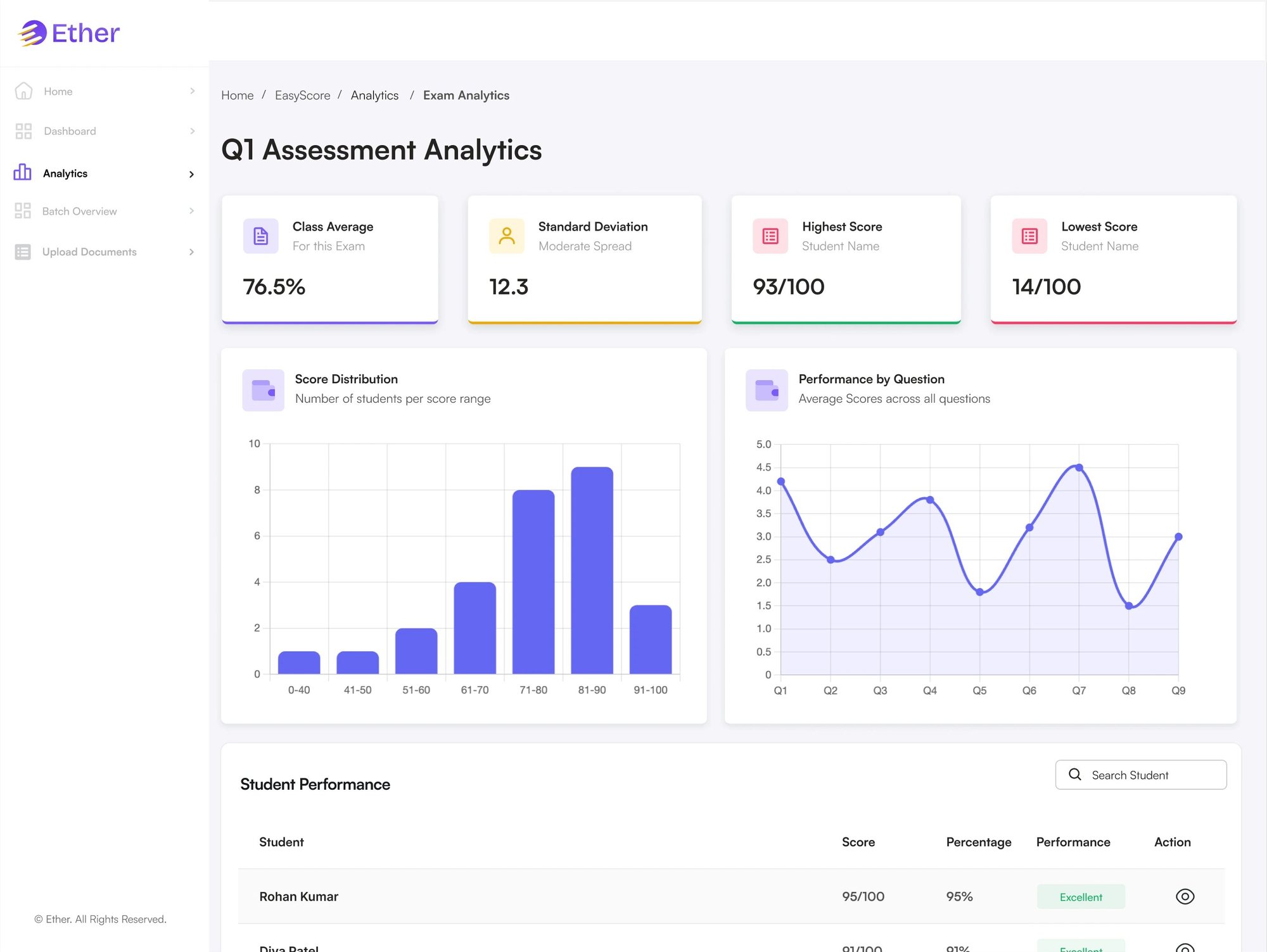
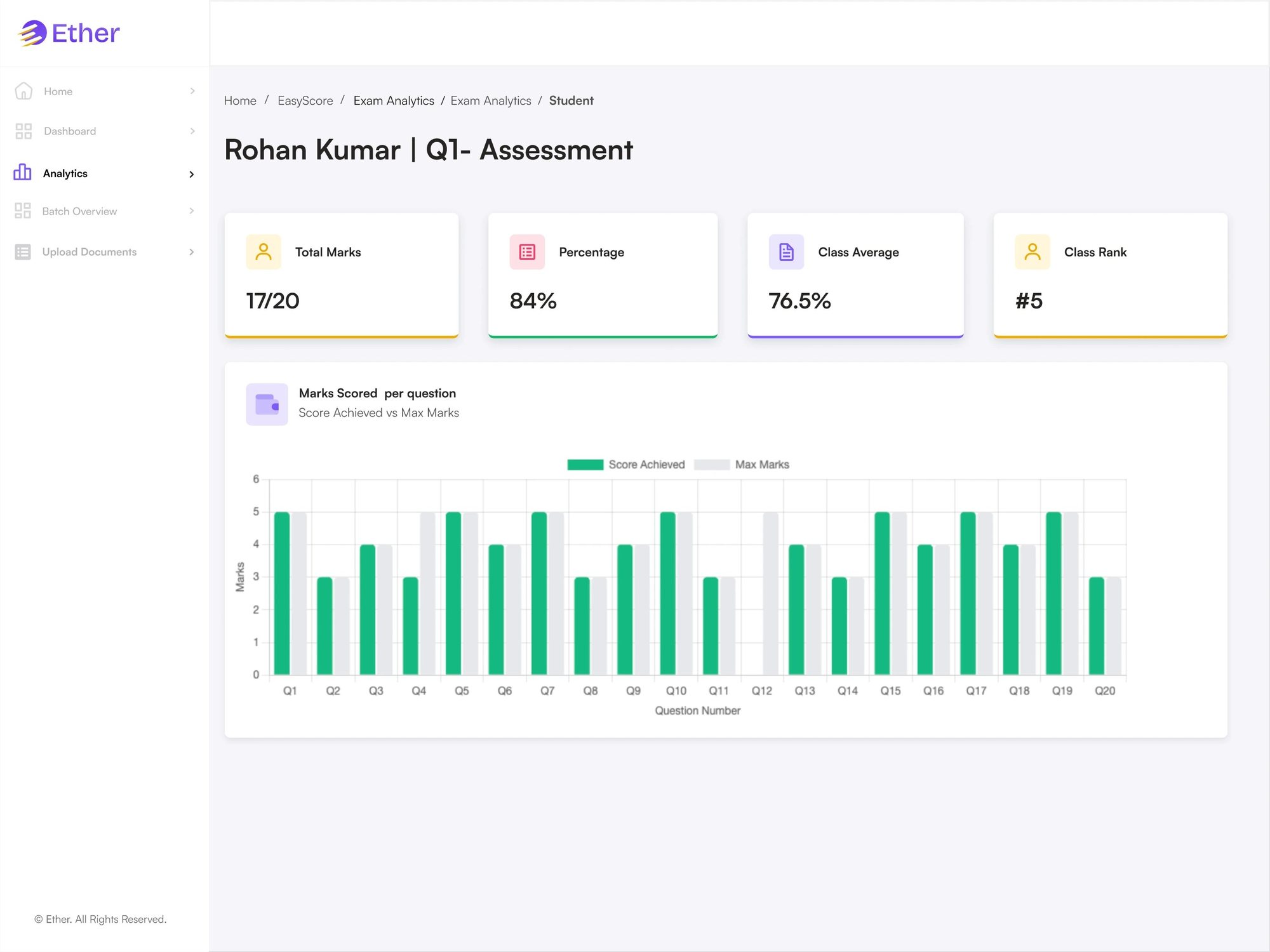
- Exam analytics
- Student reports
The AI proposes; the human disposes.
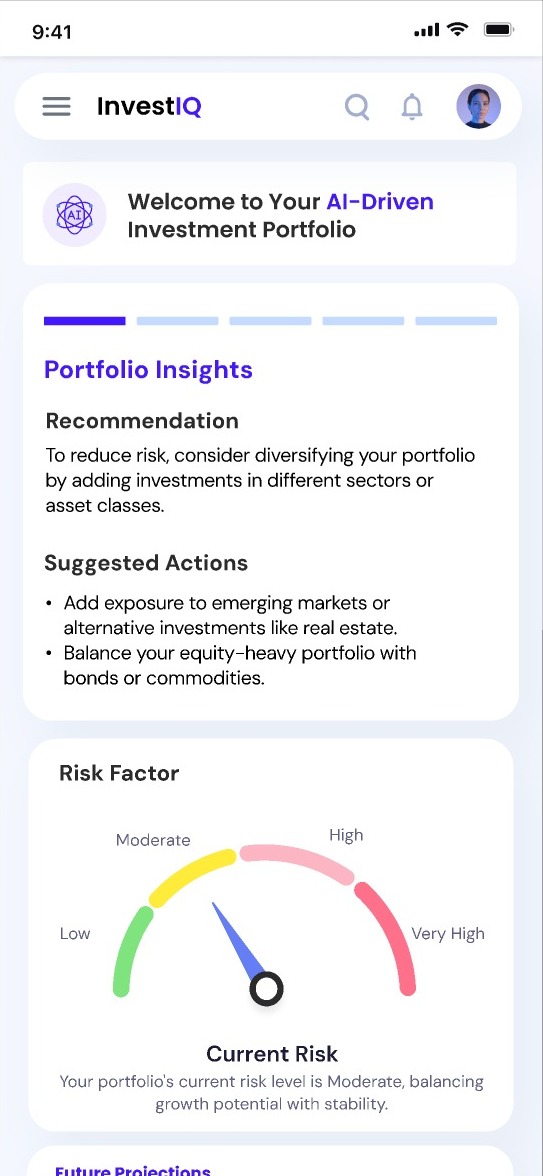
I set one principle for every Easy Suite tool: the interface must make it obvious that the AI did the drafting, and that a teacher and an admin decide what happens to it. Nothing AI-generated goes live without a person approving it.
- Admin sets the sourceChapters (EasyPlan), question settings (Elevate) and question papers with rubrics (EasyScore).
- AI generates a draftLesson plans, quiz questions or suggested marks, based only on what was uploaded.
- Teacher reviews and editsThe teacher checks, changes, regenerates or rejects the draft.
- Admin approvesPlans get reviewed with feedback, quizzes get approved or rejected, and only then do students and parents see anything.
Information architecture
One map per tool, organised by role. Switch tools, click a role to focus it, or open a section to see the pages under it.
How work moves through each tool
Pick a flow, click a step to see what happens, or press play.
A web dashboard for curriculum oversight
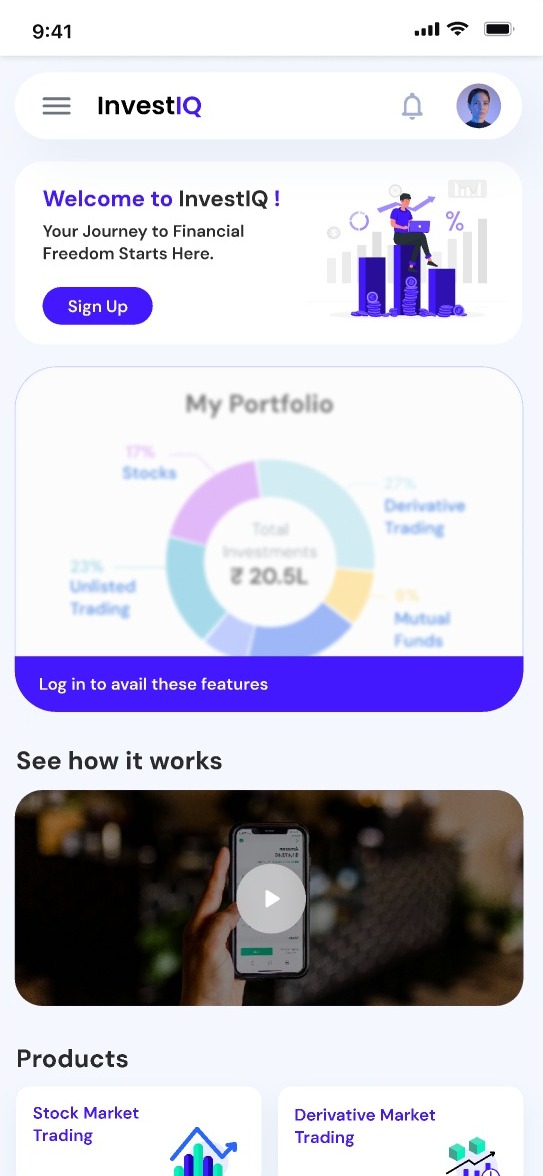
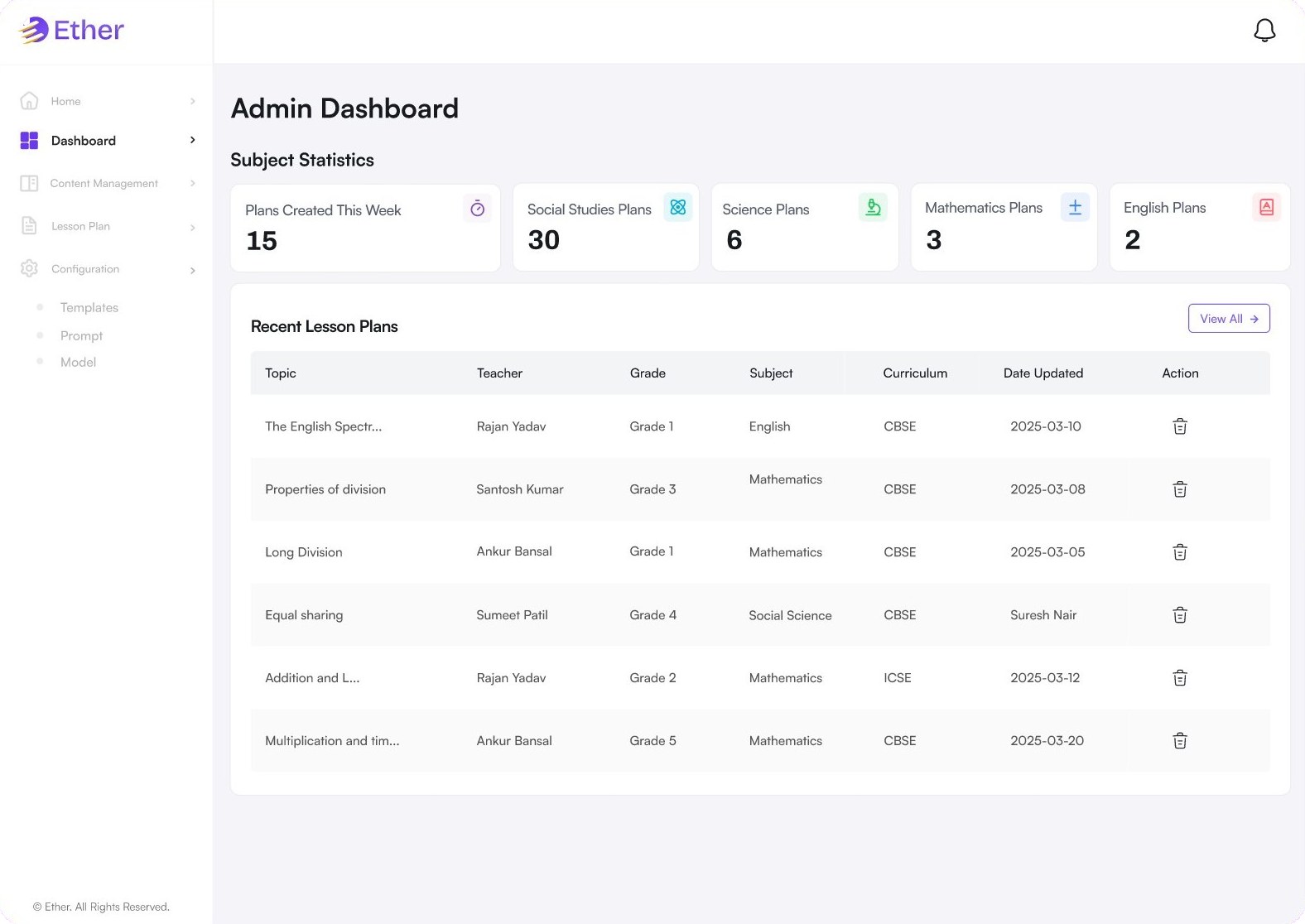
Admins see plans created this week and plans per subject, then scan recent lesson plans by teacher, grade, subject and curriculum. The sidebar keeps content management, lesson plans and configuration one click away.
Guardrails the school controls
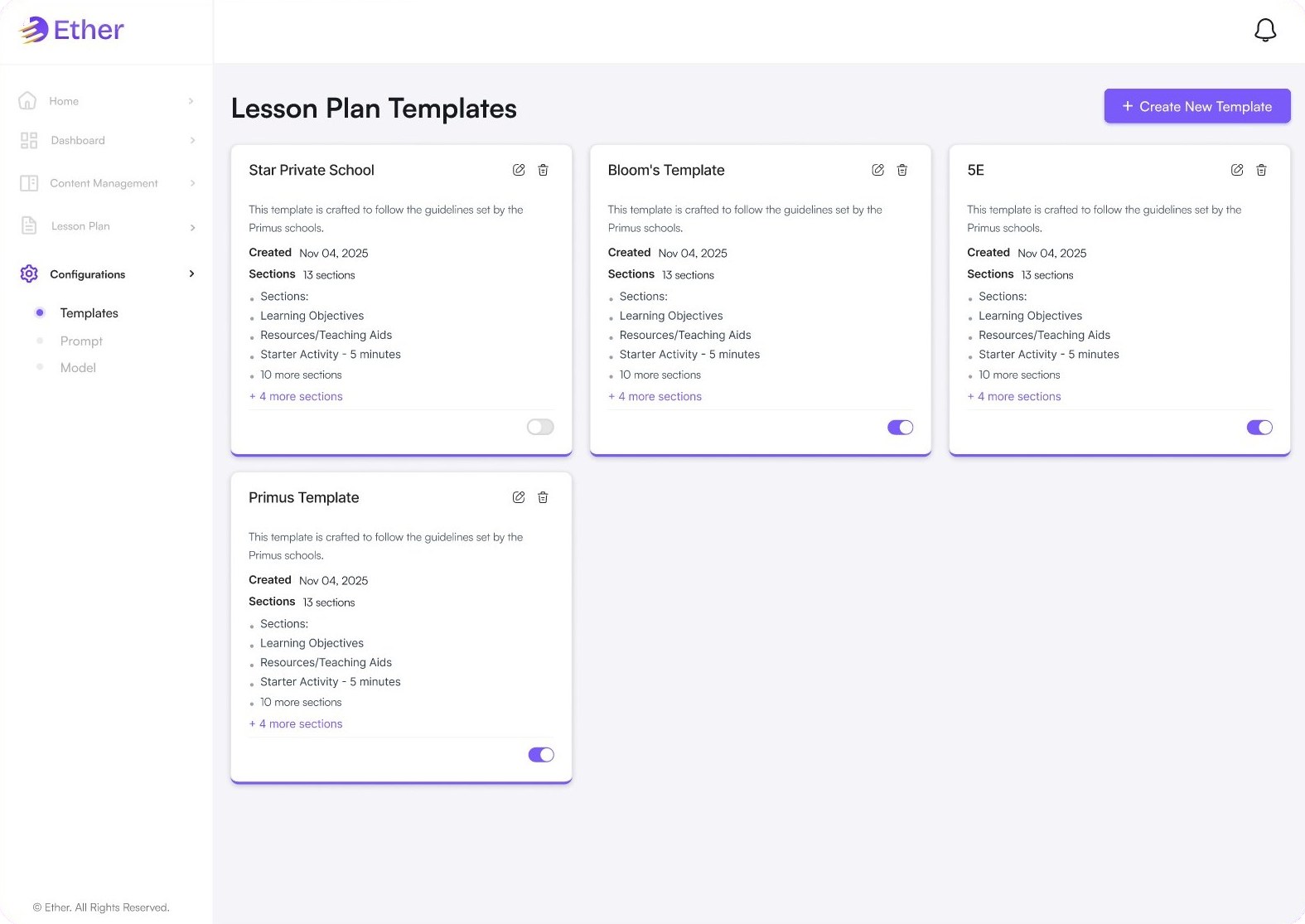
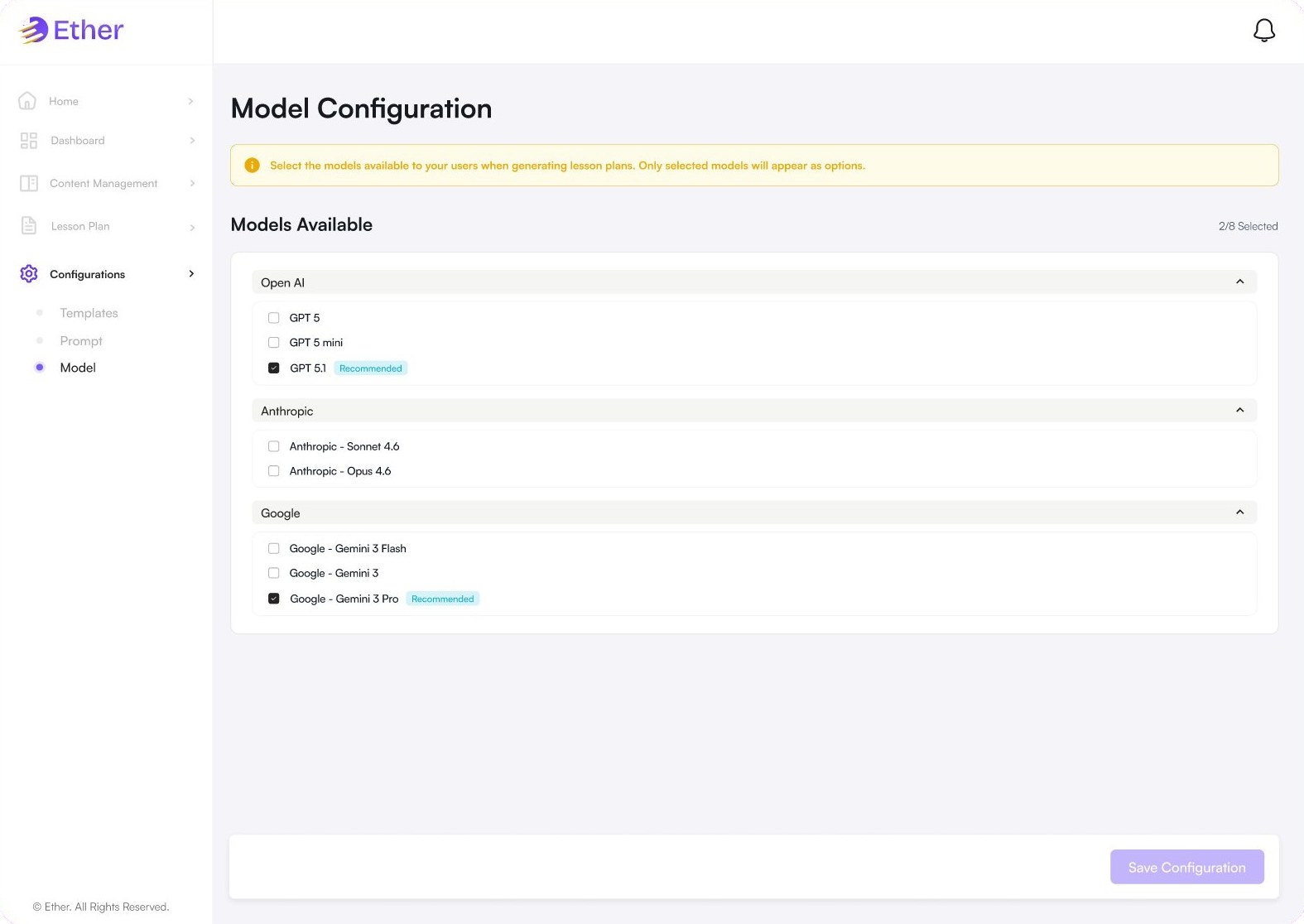
Instead of teachers writing prompts, admins set the rules once. Templates define the sections every plan must have, prompts are versioned with a warning that edits affect every future plan, and the model page lets the school choose which AI models teachers can use.
Prompts that are visible, not hidden
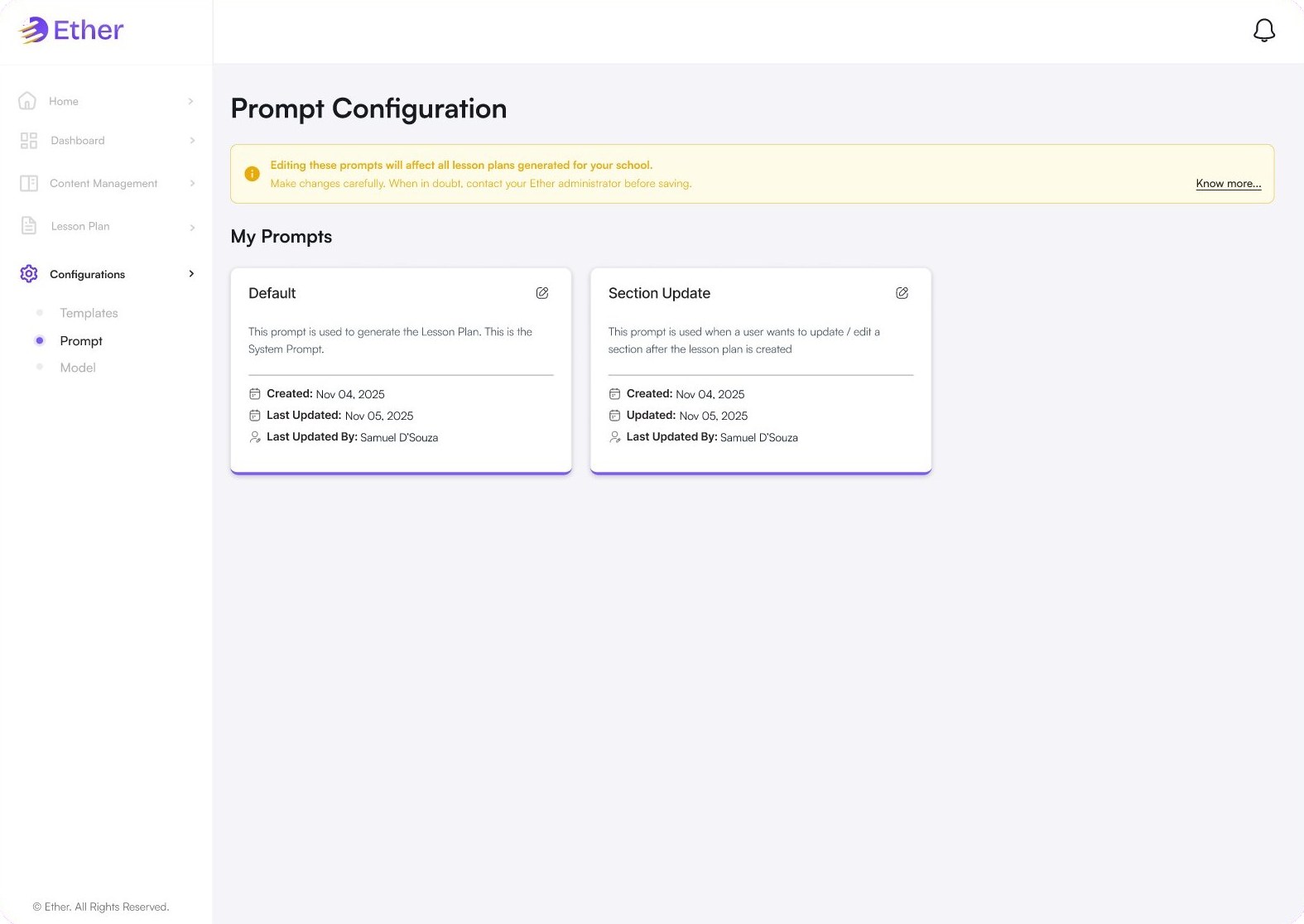
Each prompt card says what it is used for, when it was created and who last updated it. The default prompt generates plans, and a separate section-update prompt handles edits after a plan is created.
Teachers generate, coordinators approve
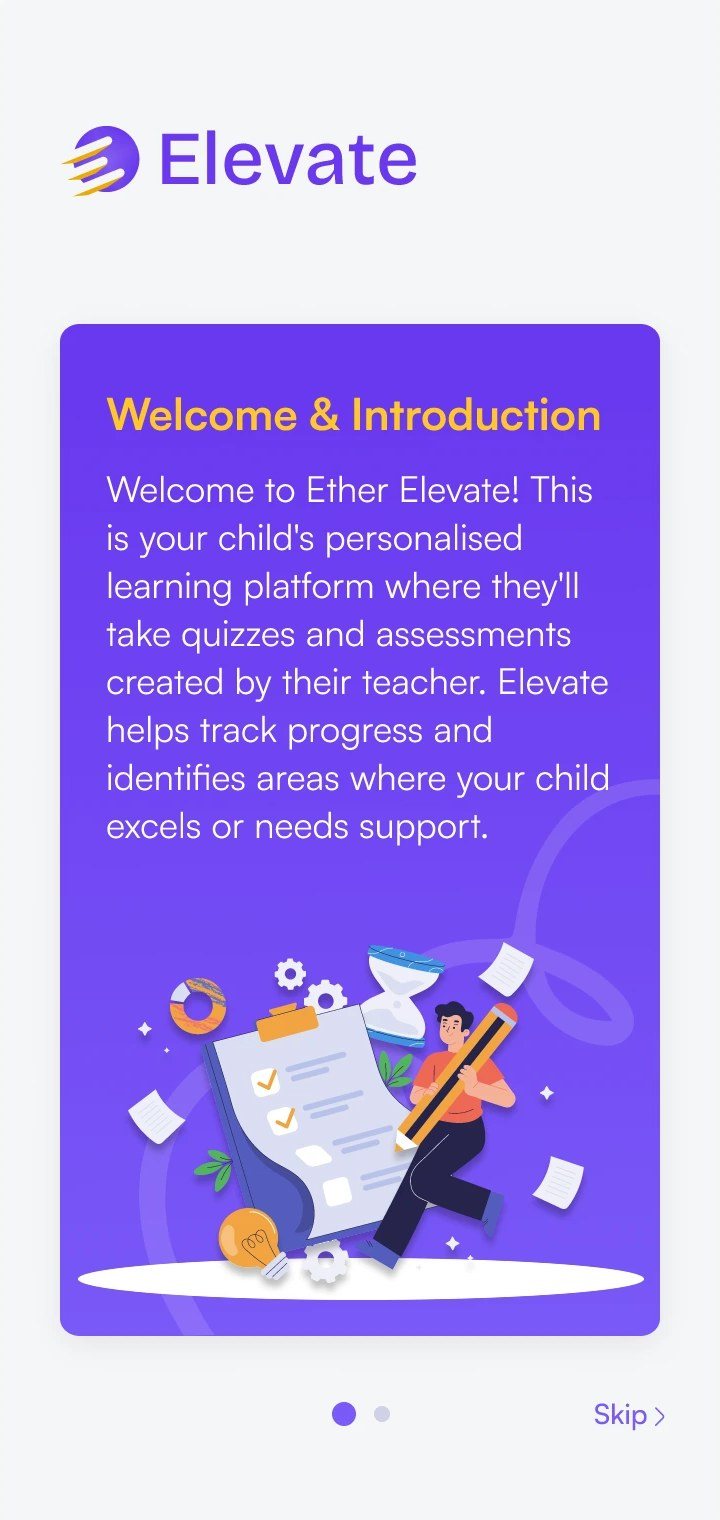
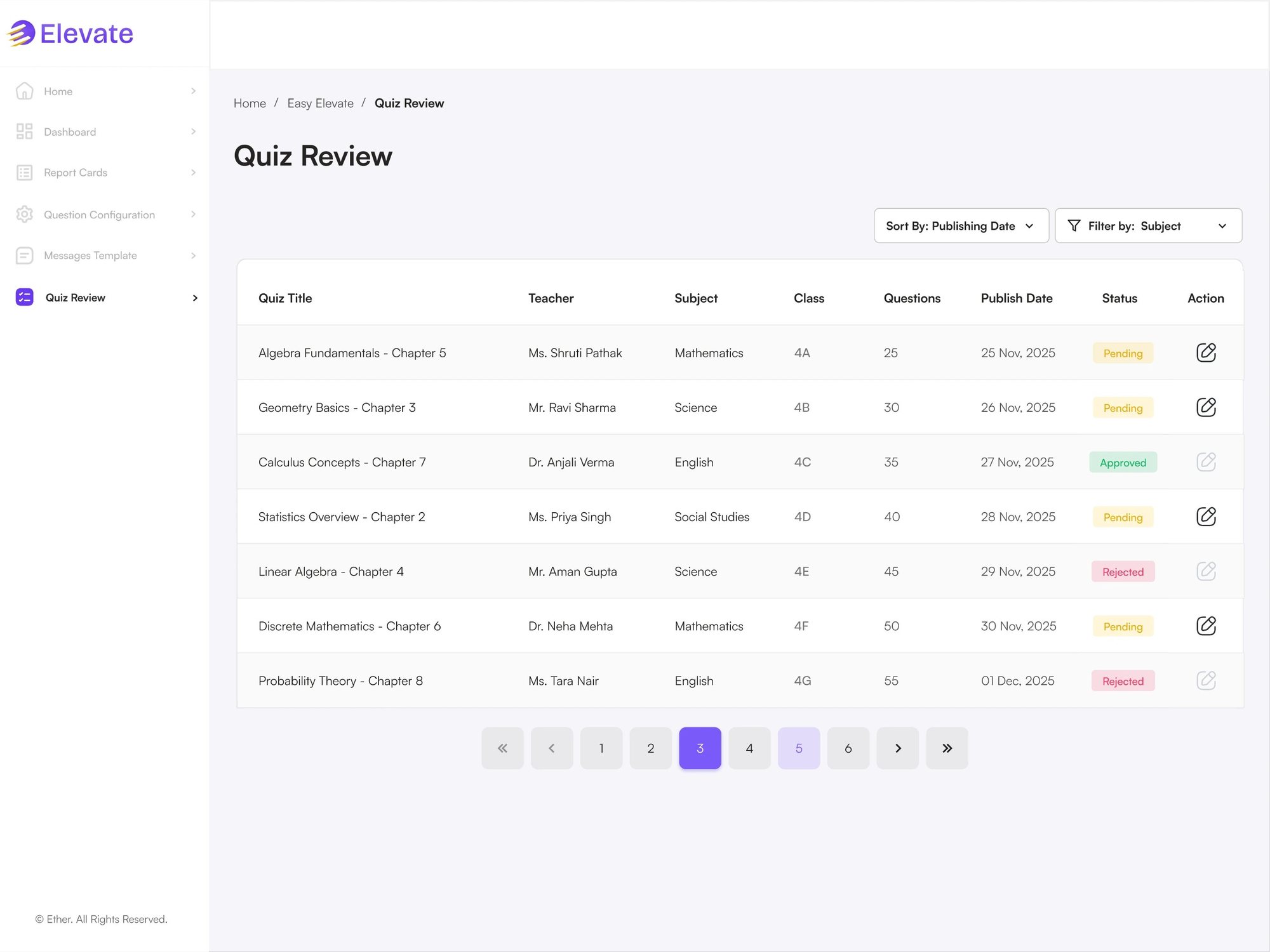
Teachers build quizzes in the quiz wizard, by AI or by hand, across one or more chapters. Every quiz lands in the coordinator's review queue, and students only see it once it's approved. Read the Elevate case study →
Practice that families come back to
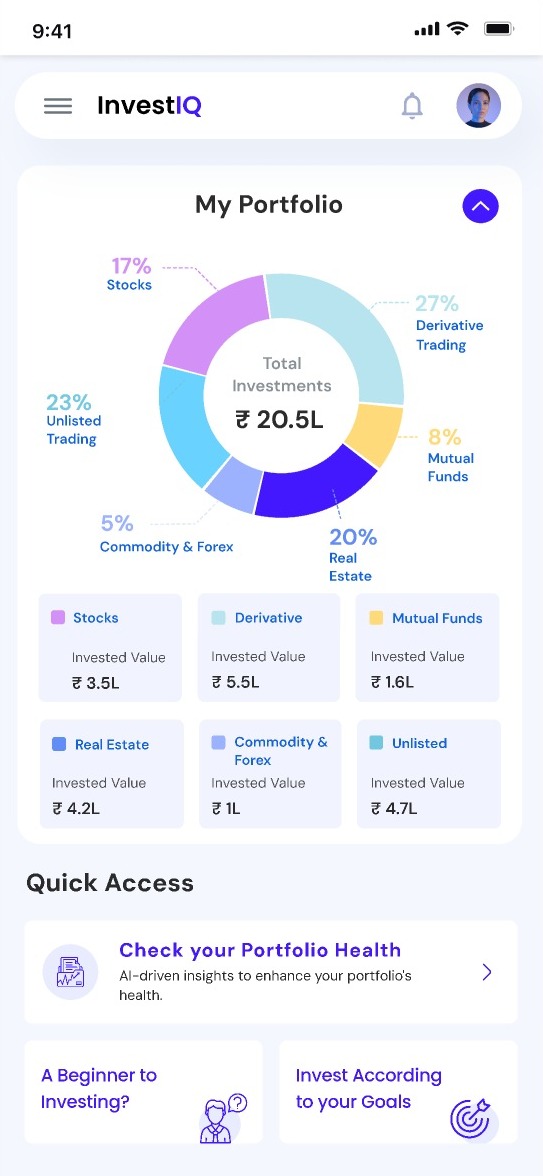
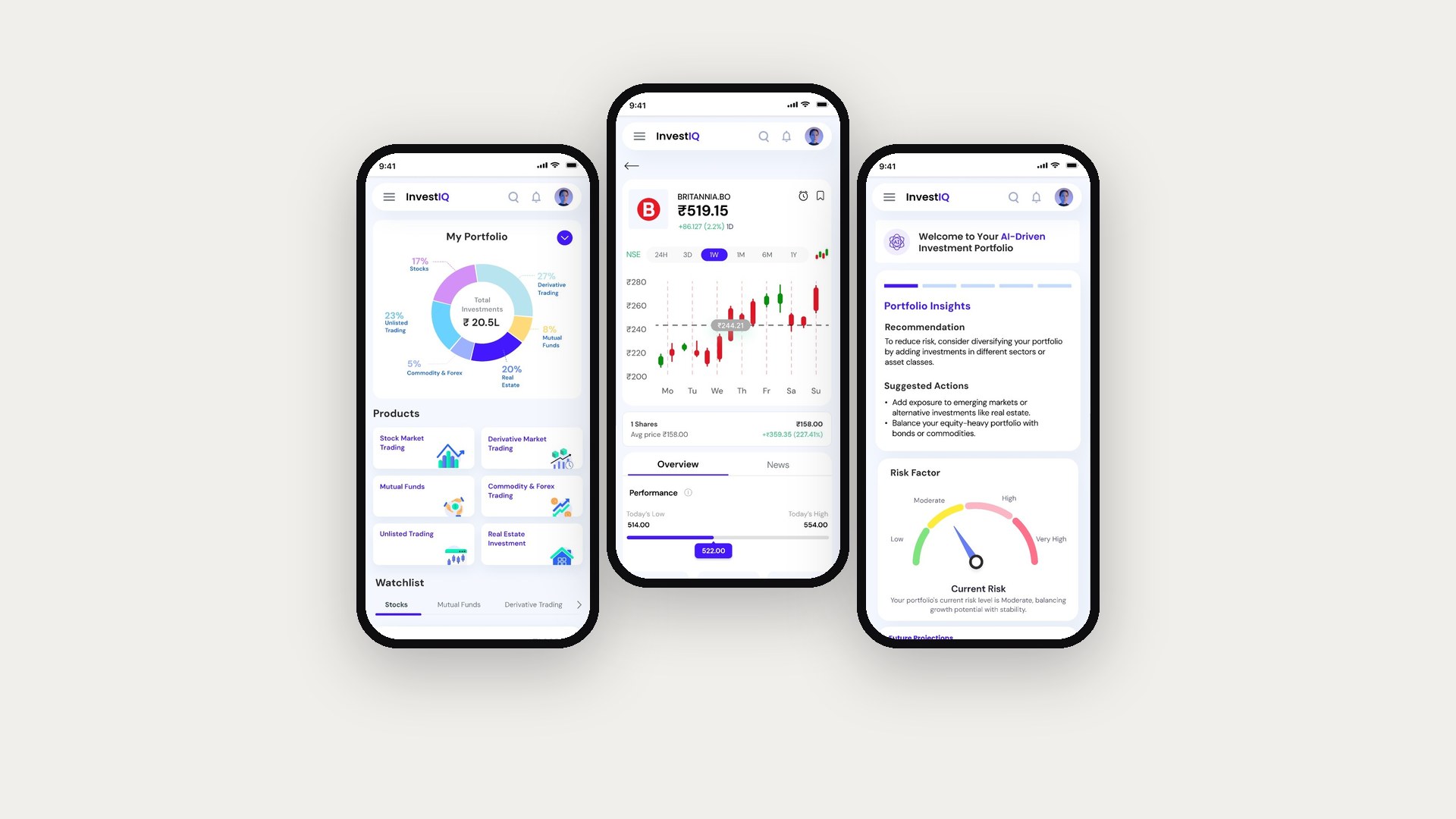
On the Ether mobile app, parents and students get a hawk-eye profile view, streaks, average score and time taken, with quizzes listed by mode and subject.
AI suggests the marks, the teacher decides
Admins create batches with the question paper and answer rubric. Teachers upload answer sheets, follow each batch from uploaded to evaluated, and check the AI's marks before anything is published. Read the EasyScore case study →
Three versions and a UAT fix
EasyPlan went through three versions (V.01 to V.03) for the admin and teacher roles. I also ran design UAT on staging and live builds across the suite to catch gaps between the designs and what shipped.
In UAT, teachers dropped out of lesson planning because the generated plan felt too rigid. They needed to adjust individual parts to fit their own class schedule.
I broke plans into modular sections, backed by admin-defined templates. Teachers can edit or update a single section without regenerating the whole plan.
Shared across the Ether platform, so EasyPlan, Elevate and EasyScore feel like one product.
"In AI products, trust is a UX metric. Sometimes the right move is to add friction, like an explicit approval step, because that is what makes busy people feel safe."